Connect Wallet to ChatGPT
via Model Context Protocol (MCP)
ChatGPT supports MCP connections with OAuth authentication — no API tokens needed. Just connect your Wallet account and start asking about your finances.
Requirements
- ChatGPT Plus, Pro, Max, Business, or Enterprise subscription is required for MCP support.
- Wallet MCP is currently in review by OpenAI and not yet listed in the official directory. You will need to enable Developer Mode to connect.
Step-by-Step Setup Guide
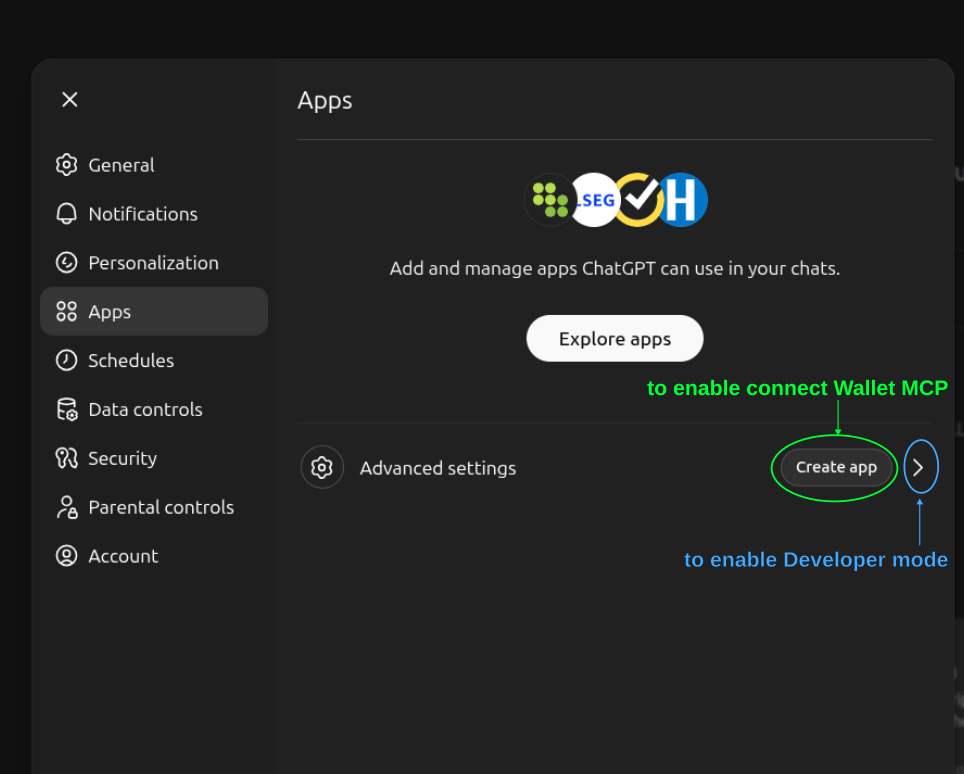
Open ChatGPT Apps Settings
Go to ChatGPT Settings and navigate to the Apps section. You can go there directly via chatgpt.com/#settings/Connectors.
Enable Developer Mode
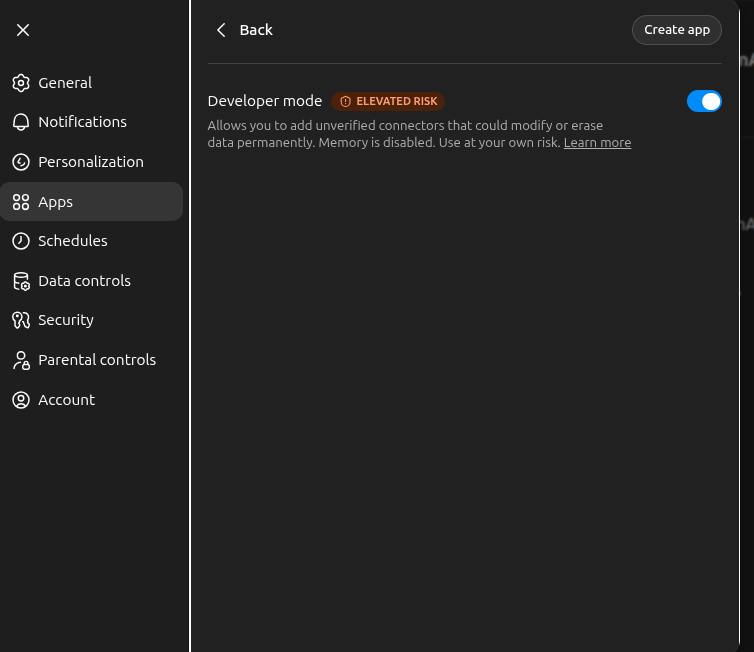
Click "Advanced settings" and toggle on Developer mode. This is required because Wallet MCP is currently in review by OpenAI and not yet listed in the official directory.
Create a New App
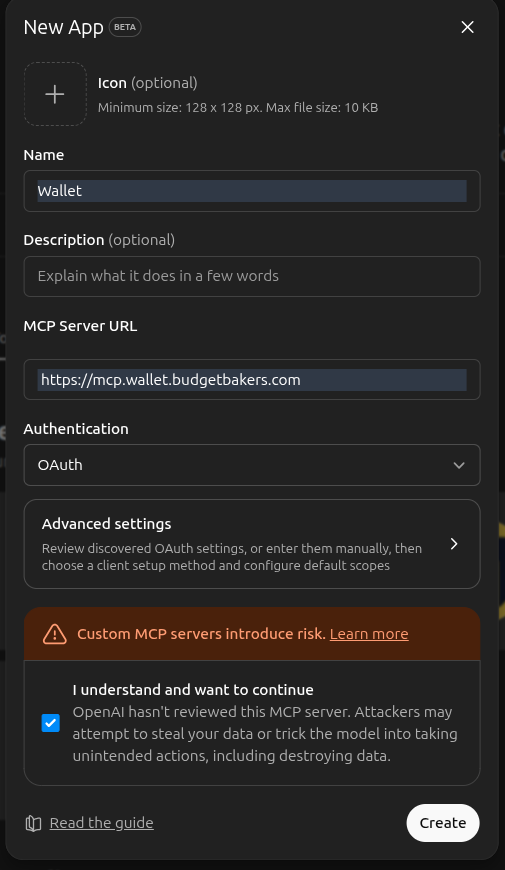
Click "Create app" and fill in the details:
- Name:
Wallet - MCP Server URL:
https://mcp.wallet.budgetbakers.com - Authentication:
OAuth
Confirm the risk acknowledgement to proceed.
Enter Your Wallet Email
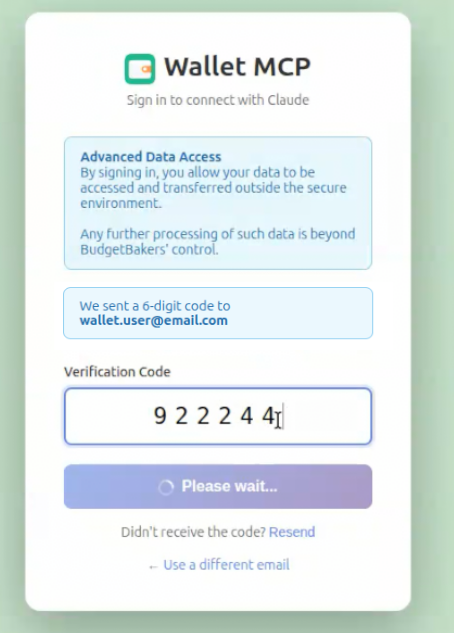
You'll be redirected to the Wallet MCP login page. Enter the email address associated with your Wallet account.
Enter Verification Code
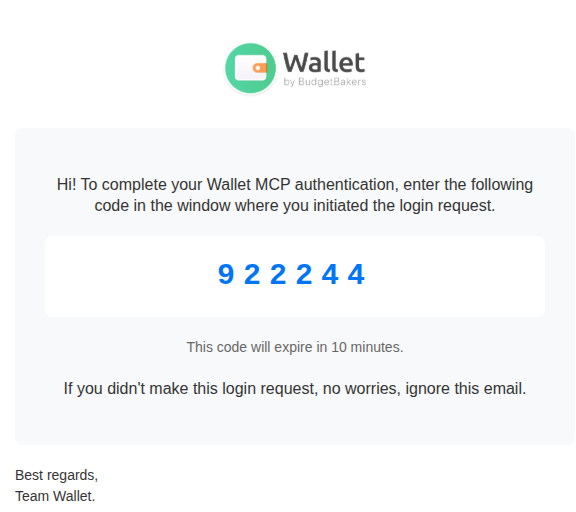
Check your email for a 6-digit verification code from Wallet and enter it on the login page.
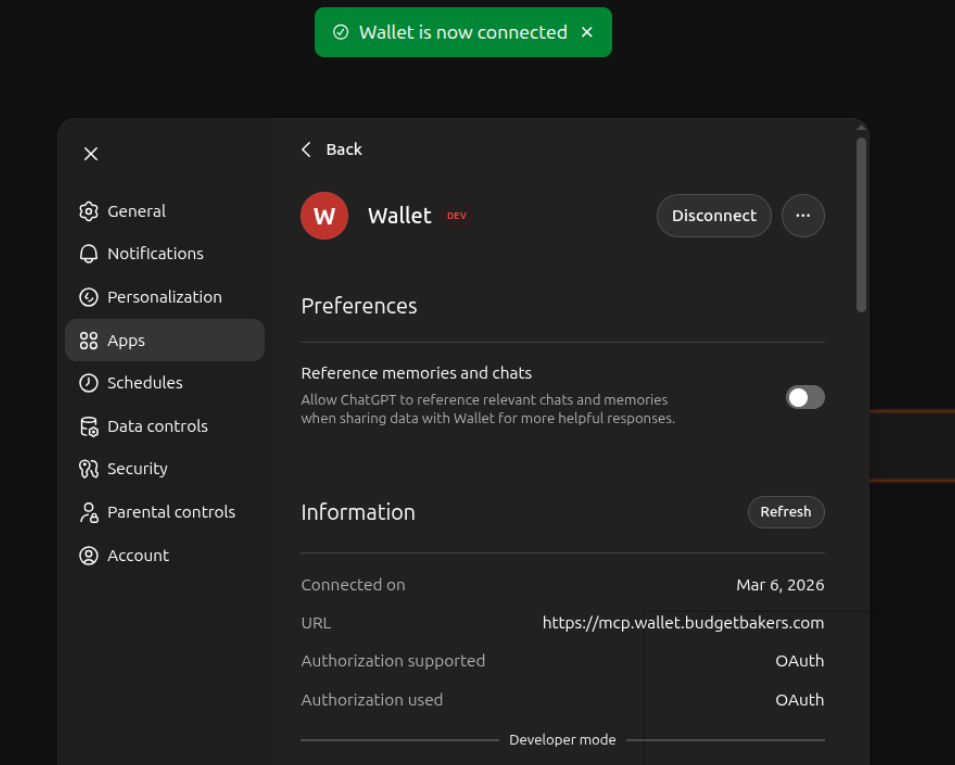
Connection Confirmed
After successful authentication, you'll be redirected back to ChatGPT. You should see a confirmation that "Wallet is now connected" with connection details.
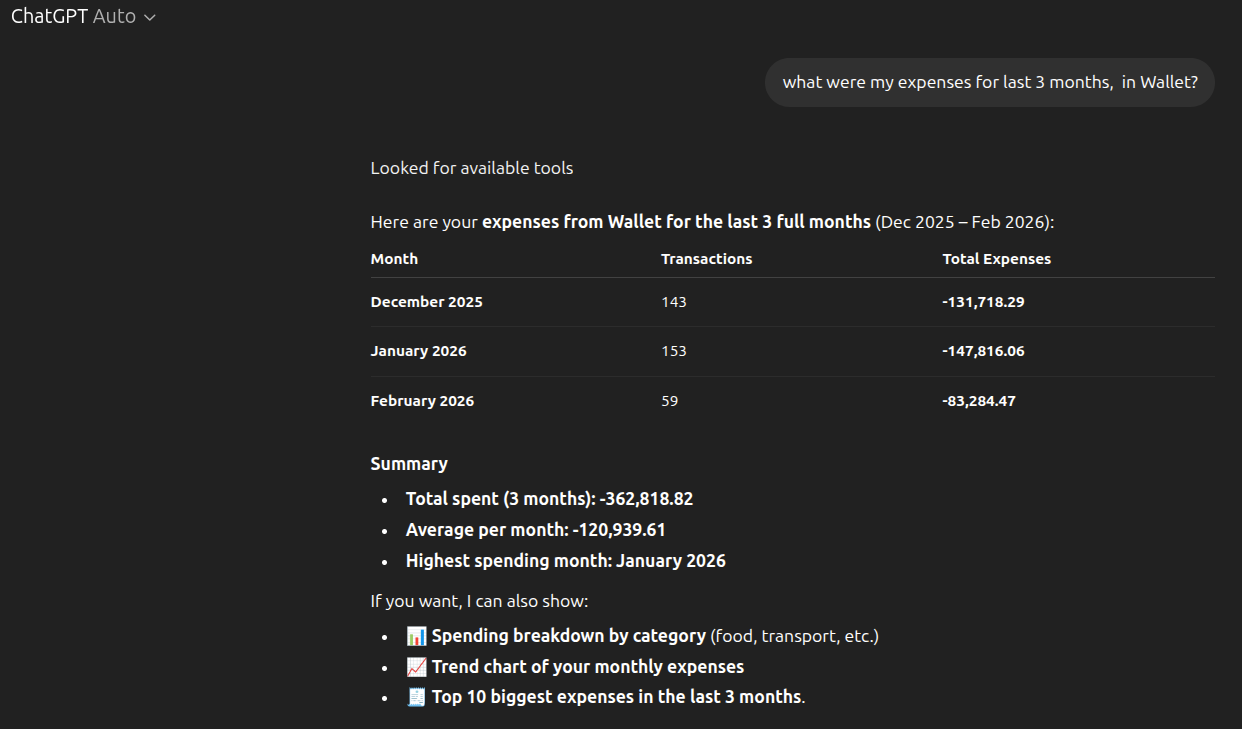
Start Asking Questions
You're all set! Start a new conversation and ask ChatGPT about your finances. Try questions like:
- “What were my monthly expenses in Wallet?”
- “Show me my spending by category this month”
- “Am I on track with my budgets?”
How ChatGPT Authentication Works
Unlike Claude Desktop and Claude Code which use JWT tokens, ChatGPT connects via OAuth authentication. This means you authenticate directly with your Wallet email and a verification code — no need to manually copy API tokens.
ChatGPT (OAuth)
- Login with Wallet email
- Verify with email code
- Automatic token management
Claude (JWT Token)
- Generate token in Wallet settings
- Paste into config file
- Manual token rotation
Explore More Integrations
Wallet MCP also works with Claude Desktop, Claude Code, and other MCP-compatible clients.
View All MCP Setup Guides