Connect Wallet to Claude
via Connectors (MCP)
Claude supports MCP via Connectors — authenticate with your Wallet email, no API tokens needed. Connect in under 2 minutes and start asking about your finances.
Requirements
- Wallet MCP is currently not yet officially listed in the Claude Connectors Directory. Our application is in review by Anthropic.
- Claude Pro, Max, Team, or Enterprise plan is required:
- Pro & Max: Individual users can add a custom connector themselves.
- Team & Enterprise: An Owner must first add the custom connector to the organization via Organization Settings > Connectors. Once added, individual members can connect and enable it.
Step-by-Step Setup Guide
Add a Custom Connector
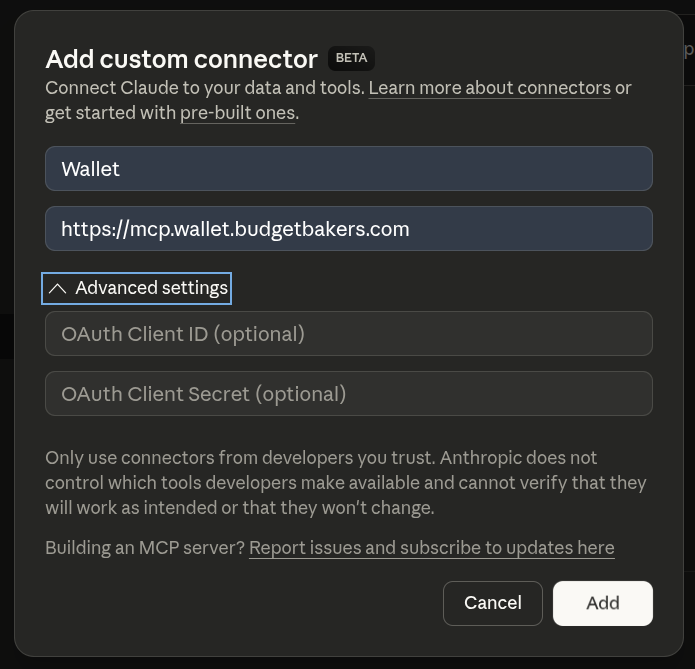
Open Claude's Connectors settings and click "Add custom connector". Fill in the details and submit: claude.ai/settings/connectors
- Name:
Wallet - Remote MCP server URL:
https://mcp.wallet.budgetbakers.com
Enter Your Wallet Email
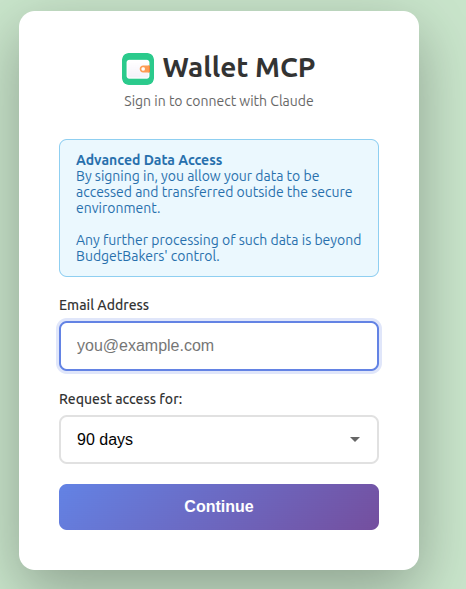
You'll be redirected to the Wallet MCP login page. Enter the email address associated with your Wallet account and optionally set the duration of the MCP connection.
Check Your Email
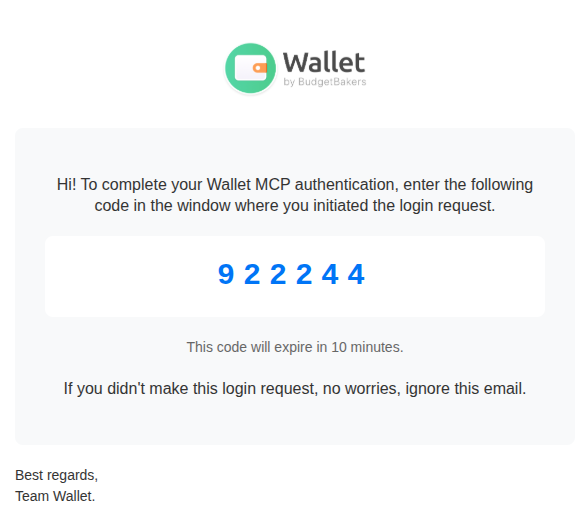
Your email inbox will receive an authorization code from Wallet.
Submit the Authorization Code
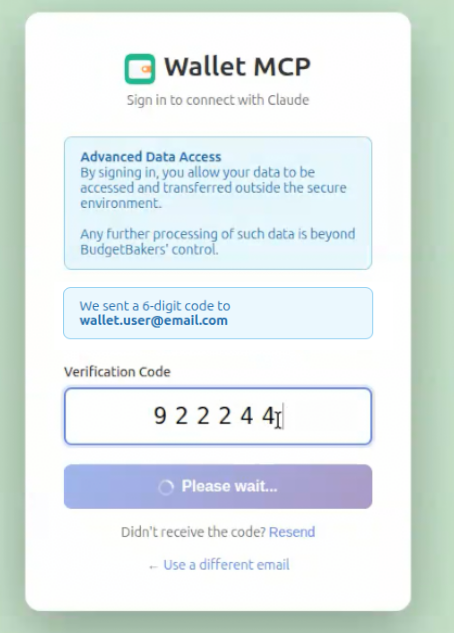
Enter the authorization code from your email on the Wallet login page.
Redirected Back to Claude
After successful authentication, you'll be automatically redirected back to Claude. The Wallet connector is now active.
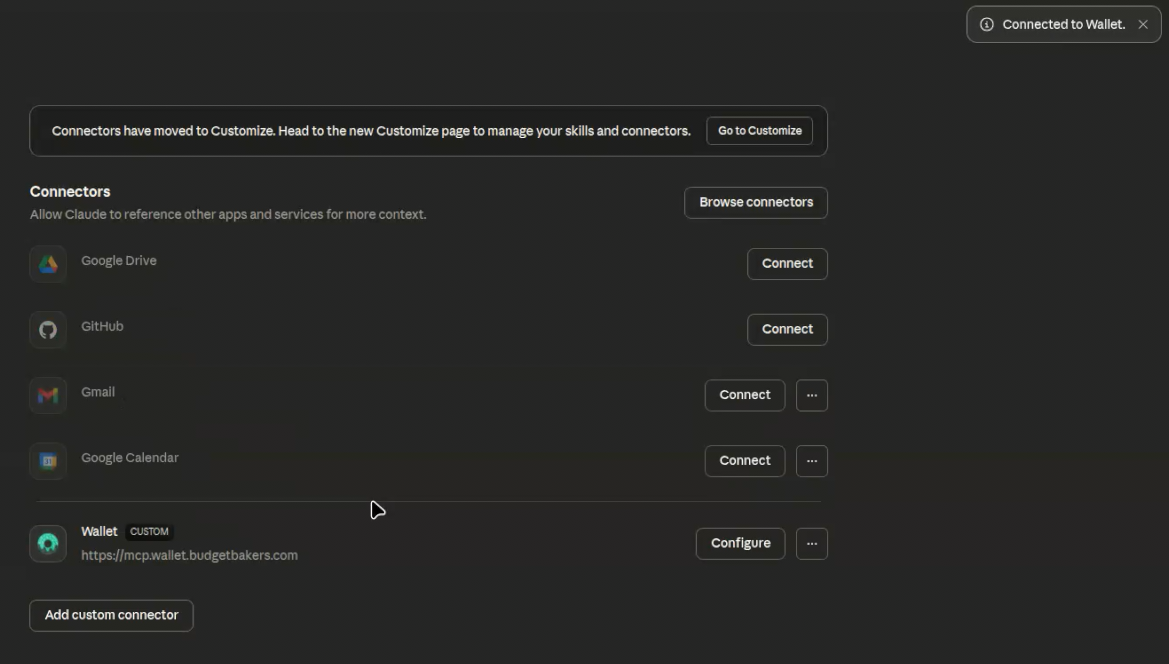
Start Asking Questions
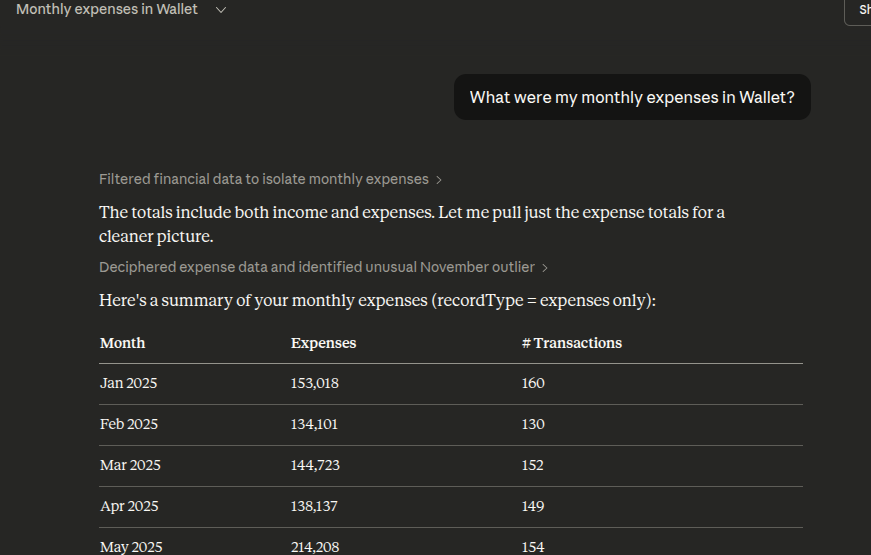
You're all set! Start a new conversation and ask Claude about your finances. Try questions like:
- “What were my monthly expenses in Wallet?”
- “Show me my spending by category this month”
- “Am I on track with my budgets?”
Claude Web vs Claude Desktop & Code
Claude Web (claude.ai) uses Connectors with email-based authentication — no manual token management. Claude Desktop and Claude Code use JWT tokens that you paste into a config file.
Claude Web (Connectors)
- Add connector in settings
- Login with Wallet email
- Verify with email code
- Automatic token management
Claude Desktop & Code (JWT)
- Generate token in Wallet settings
- Paste into config file or CLI
- Manual token rotation
Explore More Integrations
Wallet MCP also works with ChatGPT, Claude Desktop, Claude Code, and other MCP-compatible clients.
View All MCP Setup Guides